Google Pay QR Code PVC Card
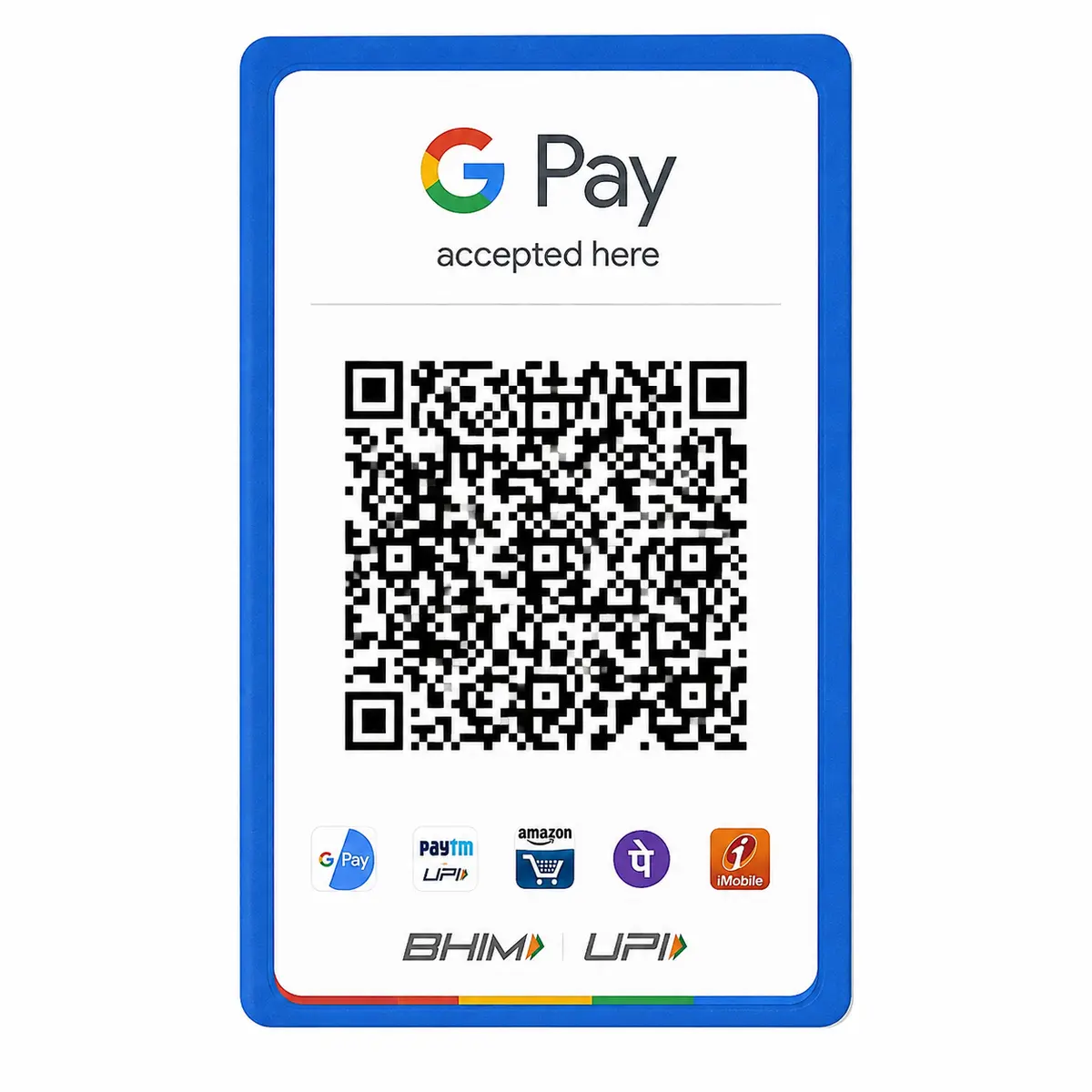
Print your Google Pay QR code on a PVC card. Upload a clear QR image. Get a counter-ready card for ₹50.
Quantity: 1
Upload your card files*
Upload clear photos or a PDF of the front and back.
0 of 10 files
Cards for different people? Pick the quantity above, then add a file for each.
- Upload PDF, or the front and back files
- JPG, PNG, WebP or PDF, max 50 MB each
- Locked PDF? Add its password after upload
Delivery charges apply based on your location.
Estimated Delivery
Ordered
Order Ready
Delivered
Print your Google Pay QR code on a PVC card. Upload a clear QR image. Get a counter-ready card for ₹50.
Google Pay QR code PVC card: a payment point that stays put
A counter that takes UPI payments needs one thing to work every time: a code that scans on the first try. A sheet of paper taped to a till can curl, fade or pick up a stain by the end of the week. A Google Pay QR code PVC card is a small, stiff card that you stand or lay where customers pay, and you can wipe it clean. Upload your own Google Pay QR, and we print it on a rigid card with rounded corners.
What you get
- A PVC card measuring 85.6 by 54 mm, easy to keep by the till.
- Your Google Pay QR printed from your file.
- A smooth, wipe-clean surface.
- Each card is ₹50, and delivery is free over ₹999.
Start with your own QR
Google Pay offers a business service for merchants. You can learn more on the Google Pay for Business page and download your QR from your account. Download it at the largest size on offer and upload that file. A small screenshot will print soft and may not scan well.
Three habits that keep a QR scanning
A QR works because its small squares stay sharp. Three habits protect that.
- Keep the QR square and never stretch it.
- Leave a clear white border around it.
- Keep text and logos off the pattern itself.
Check it before it is printed
Scan the file on your screen with a second phone, and read the name that appears. It should be the name you want customers to see. We print the file you give us, and we cannot tell where a QR sends a payment. That is why this check belongs to you. Our guide on verifying a UPI QR before printing walks through it.
Design the card around the scan
- Make the QR the largest thing on the card.
- Put your shop name beside it, so customers can match it to the name in the app.
- Add your UPI ID in readable type if you like.
- Use a plain light background next to the code.
Where the card should sit
Think about where a customer's hand already is when they reach for their phone. Place the card at that height, away from glare and shadows. If you run more than one counter, order a card for each, and use your own QR on each or a separate code if your account has one for every counter.
Looking after it
Wipe the card with a dry or slightly damp cloth. A scratch across the code can stop it scanning, so replace the card if the surface is marked. Once a month, scan the card with a phone and read the name again. It takes a few seconds and catches a problem early.
A spare is cheap insurance
Keep a second card in a drawer. If the first one is damaged, you swap it in at once, and a customer is never left unable to pay.
If your QR changes
Merchant accounts sometimes get a new code, for example when you add a counter or change a setting. When that happens, download the new QR, check it with a second phone and order a fresh card. Remove the old card from the counter, so customers never scan a code that you no longer use.
How to order
- Choose how many cards you need.
- Upload the QR as a PDF, or as a JPG or PNG image.
- Enter the PDF password if asked.
- Place the order.
What happens after you order
We open your QR file and check it for orientation and cut-off edges. The card is printed in a day, packed flat and sent to your address, arriving 5 to 8 days later. If the file looks incomplete, we may contact you before printing.
Price and delivery
Each card is ₹50. It is printed in a day and delivered in 5 to 8 days. The delivery charge depends on your PIN code and is free above ₹999. The card is the usual ID-1 size.
Protect your account
Never share a UPI PIN, an OTP or a password with anyone, including us. A customer paying you does not need yours, and we do not need them either. We print only the QR image, and Google Pay and your bank control the account. Teach your staff to read the payment confirmation on the phone before they hand over goods. The card makes it easy to pay, and the confirmation tells you the money has arrived.
If you also accept PhonePe, there is a PhonePe QR code PVC card. For another design, see custom PVC card printing.
Questions about the Google Pay QR code PVC card
Can I print more than one QR?
Yes. Upload a file for each one and set the quantity.
Does the card store money?
No. It carries your QR. Payments are made through your Google Pay account.
What if the QR does not scan?
Check the original file first. If it scans on screen but not on the card, contact us.
Can I print a QR for another UPI app on the same card?
One QR per card scans best.
Can I put an offer on the card?
Yes, but keep it away from the QR.
How many should I order?
One for each counter, plus a spare.
How long is delivery?
Made in a day and delivered within 5 to 8 days.
Order a Google Pay QR code PVC card by uploading your QR, setting the quantity and paying. A google pay qr code pvc card is a small thing that makes paying easier.
Upload the highest resolution photo you have for the sharpest print. We warn you before you order if a photo may print soft at the size you chose.
Every order is made after you place it. Allow 1 day to prepare it and 4 to 7 days for delivery across India. Shipping is free on orders above ₹999 and ₹60 below that. Read our shipping policy.
If your order arrives damaged or defective, contact us within 7 days of receiving it. Once the returned product reaches us and is verified, your refund is processed within 24 hours. Personalized items cannot be returned for a change of mind once printing has started. Read our return and refund policy.
Need help uploading images or adding details? Call or WhatsApp +91 9529240029, email [email protected], contact us, or see the FAQs.